

Vault
Zero-knowledge password manager with passkey authentication, end-to-end encryption, and secure vault sharing.

Why Vault?
Your passwords deserve better than trust. With Vault, the server never sees your passwords — everything is encrypted on your device before it leaves.
🔐 Zero-Knowledge
Your master password never leaves your device. The server only stores encrypted blobs.
🔑 Passkey Auth
No passwords to remember. Use Face ID, Touch ID, or your security key.
🔒 E2E Encryption
AES-256-GCM encryption with PBKDF2 key derivation. Industry-standard security.
👥 Secure Sharing
Share vaults with ECDH encryption. No secrets in URLs — ever.
Platforms
Vault is available everywhere you need it:
| Platform | Status | Features |
|---|---|---|
| Web App | ✅ Production | PWA, offline mode, keyboard shortcuts |
| CLI | ✅ Production | Touch ID, secret injection, scripting |
| Mobile | 🚧 Beta | iOS/Android via Expo, biometric unlock |
Quick Start
Create an account
Visit vault.oxc.sh and register with your email. You'll create a passkey using Face ID, Touch ID, or your security key.
Set your master password
Choose a strong master password. This encrypts your vault and never leaves your device.
Add your first password
Click "Add Entry" or press ⌘N to create your first password entry. The password generator helps create secure passwords.
CLI Demo
Install the CLI for terminal-based password management with Touch ID:
# Install globally
npm install -g @pwm/cli
# Login (opens browser for passkey auth)
pwm auth login you@example.com
# List entries
pwm entry list
# Get a password (copies to clipboard)
pwm entry get github --copy
# Generate a secure password
pwm generate --length 24 --strengthScreenshots
Web Dashboard
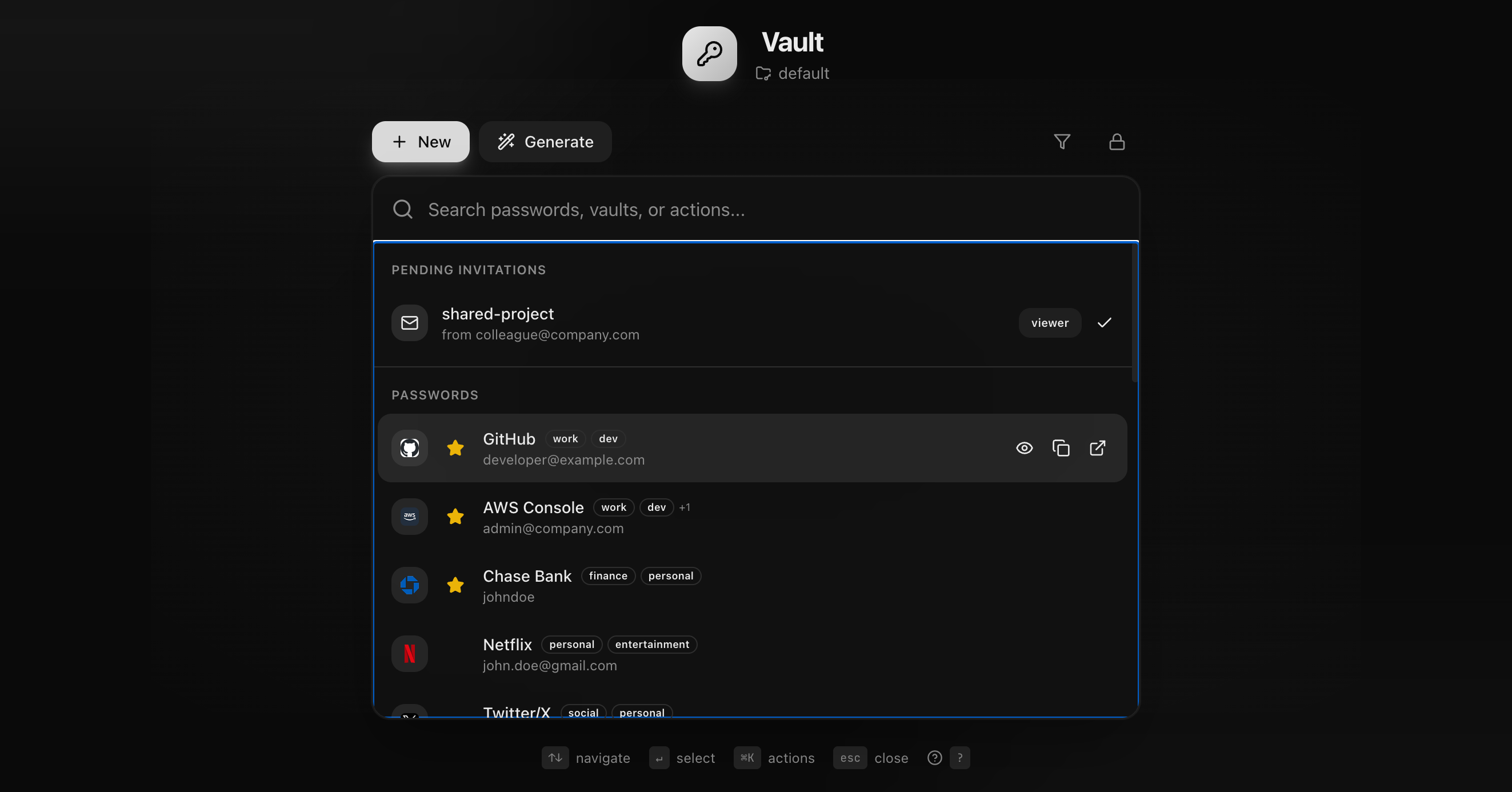
Entry Management

Architecture Overview
┌─────────────────────────────────────────────────────────────┐
│ YOUR DEVICE │
├─────────────────────────────────────────────────────────────┤
│ Master Password → PBKDF2 → Key Encryption Key (KEK) │
│ ↓ │
│ Random Vault Key ←──── Wrap/Unwrap ────→ Wrapped Key │
│ ↓ ↓ │
│ AES-256-GCM Encrypt Sent to Server │
│ ↓ │
│ Encrypted Vault ──────────────────────→ Stored (Server) │
└─────────────────────────────────────────────────────────────┘The server only sees:
- ✅ Your email
- ✅ Encrypted vault blob
- ✅ Wrapped (encrypted) vault key
- ❌ Never: Your master password
- ❌ Never: Your decrypted passwords
- ❌ Never: Your plaintext vault
Links
- Web App: vault.oxc.sh
- API: vault-api.oxc.sh
- GitHub: github.com/zeroexcore/vault
- CDN: vault-cdn.oxc.dev